What Glassknock checks
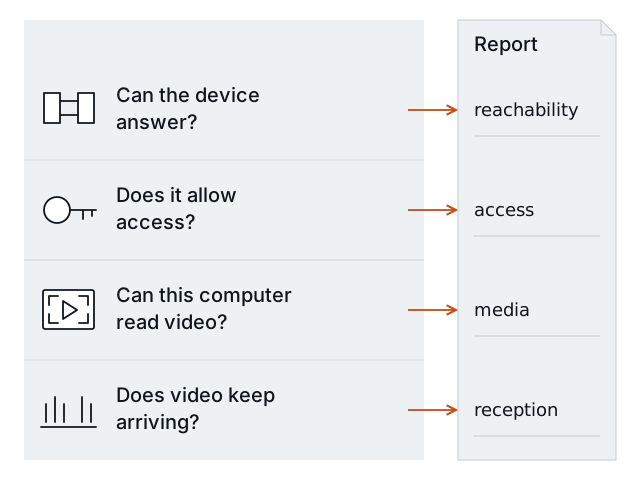
Glassknock asks four questions about one video feed. Each question has its own result.
| Check | Simple question |
|---|---|
reachability | Can this computer contact the camera or recorder? |
access | Does the device allow the video request? |
media | Can this computer turn the received data into video images? |
reception | Did video delivery meet the gap limit during the sample? |
A sample is a short test. The default sample lasts 30 seconds. A gap is a period without received video data or decoded images.
What a pass means
If all four checks say Pass, this computer received readable video during the sample, within the allowed gap. Read all four results. A connection pass alone does not prove that video works.
Glassknock receives video for the check. It saves measured results. It does not save video or images, scan for other cameras, or change equipment settings.
What needs a separate test
The result applies to this feed, this computer, and this sample. It cannot establish:
- Whether another computer can receive the feed.
- Whether many feeds work at the same time.
- Whether the camera sees the right area or works at night.
- Whether video is recorded or an alert reaches the monitoring team.
- Whether delivery will work all day.
Testing a recorder’s feed does not inspect the camera behind that recorder. The current preview supports H.264, a video format. It requests the feed over RTSP, a video protocol, or RTSPS, its encrypted form. TCP is the connection that carries the data. Other video formats need a different test.
Read Understand the result for states and measurements. Read Method and validation for test evidence and limits. To test one approved feed, follow First check.